After hours on a laptop or phone, your eyes may feel dry, tired, or blurry. You might also get a headache or a sore neck. This is often called digital eye strain, and it is very common.
The good news is that small changes can bring a lot of relief. Here is why it happens and what you can do about it.
What Causes Digital Eye Strain?
The American Academy of Ophthalmology points to several causes.
You Blink Less
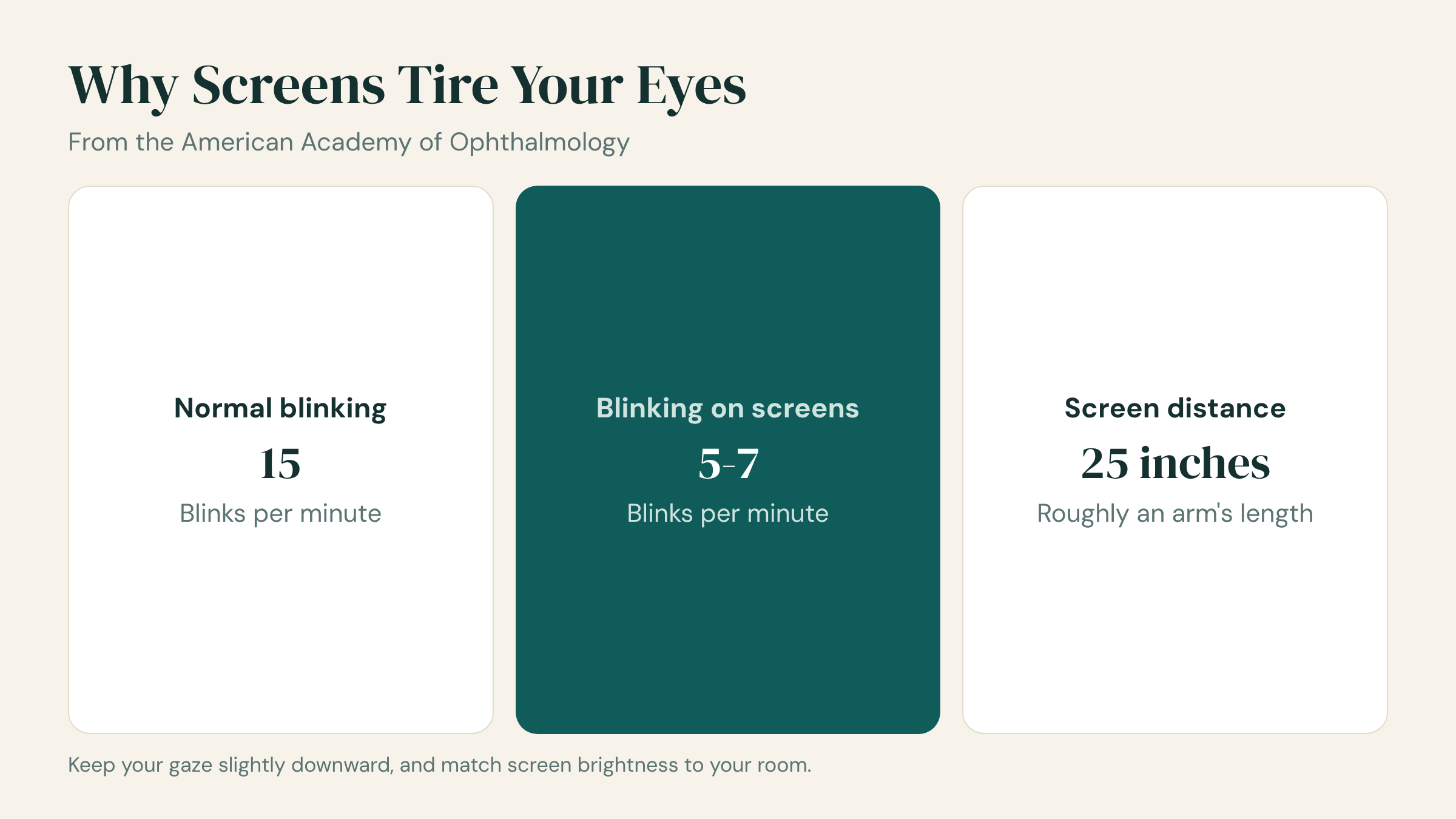
People normally blink about 15 times a minute. While using screens, that can drop to about 5 to 7 times. Blinking keeps the surface of your eyes moist, so less blinking can lead to dry, tired eyes.
Brightness Mismatch
A screen that is much brighter than the room around it makes your eyes work harder.
Glare
Many screens reflect a lot of light, which adds to the strain.
Long Periods of Close Focus
Focusing on one close distance for a long time is tiring, much like reading or sewing.
Virtual Reality and 3-D
In these formats, your eyes work to focus at a fixed distance while turning as if objects were moving closer. This can add strain.
Common Symptoms
- Dry or irritated eyes
- Tired or heavy eyes
- Blurry vision after screen use
- Headaches
- Neck and shoulder aches
- Trouble refocusing on faraway objects
These symptoms often ease after you take a break. Digital eye strain is uncomfortable, but it is not generally thought to cause permanent eye damage.
Simple Relief Tips
Blink More Often
Make a habit of blinking on purpose. The AAO suggests putting a sticky note on your screen as a reminder.
Take Regular Breaks
Look up from your screen often and focus on something far away. The AAO advises that, each hour of screen time, you look away for at least 20 seconds and blink often. Many people use the 20-20-20 habit: every 20 minutes, look at something 20 feet away for 20 seconds.
Use Artificial Tears
Lubricant drops can help when your eyes feel dry. Avoid drops marketed for redness relief.
Check Your Air
Dry indoor air can make things worse. A humidifier may help, and try to keep fans or vents from blowing directly at your face.
How to Set Up Your Screen
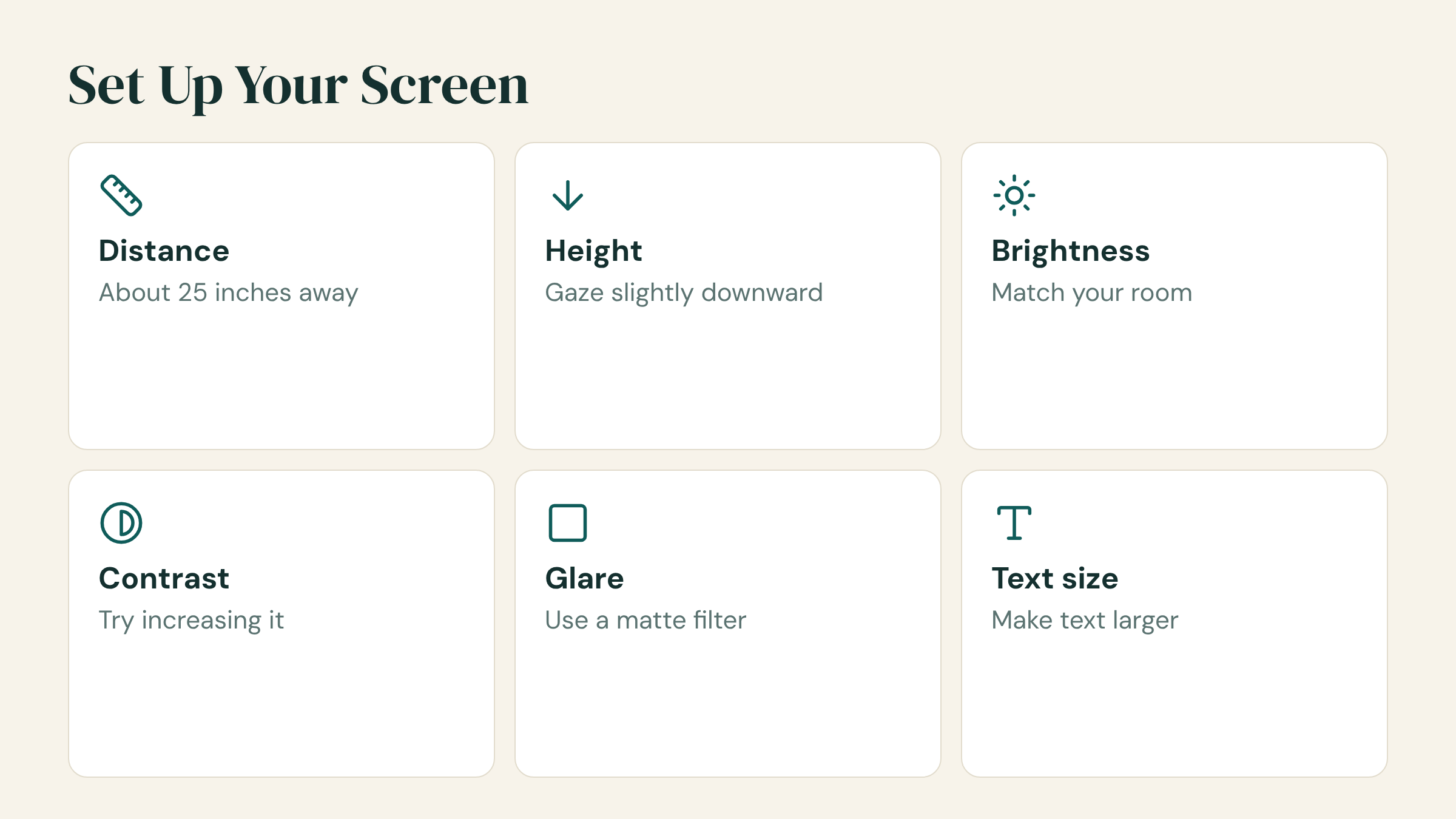
- Distance: Sit about 25 inches from your screen, or roughly an arm’s length.
- Height: Position it so your gaze falls slightly downward.
- Brightness: Match the screen to the light in your room.
- Contrast: Try increasing it to make text easier to read.
- Glare: Use a matte screen filter, and move away from harsh lights or windows.
- Text size: Make text larger so you do not have to lean in.
Do Blue Light Glasses Help?
Blue light glasses are widely sold. The AAO separates them from computer glasses, which have an intermediate focus of about 20 to 26 inches and may help heavy computer users.
The main causes of eye strain are reduced blinking, focus, and glare, so habits and screen setup are good places to start. If you already wear glasses, ask your eye doctor whether your prescription suits computer work.
Tips for Contact Lens Wearers
- Wear glasses to give your eyes a break
- Never sleep in your lenses, even “extended wear” ones
- Follow good cleaning practices
Screens and Phones at Night
Reading on a phone in a dark room makes the brightness difference much bigger. Turn on a soft light, lower your screen brightness, and hold your phone a little farther away.
Putting screens away before bed can help your sleep as well as your eyes.
Help for Children
Children may not tell you that their eyes feel tired. Encourage regular breaks and time outdoors, and keep an eye on how close they hold tablets and phones. Book regular eye checks as your pediatrician recommends.
A Simple Screen Routine
- Set up your screen at arm’s length and slightly below eye level.
- Match the brightness to your room.
- Set a reminder to look away and blink.
- Stand up and stretch each hour.
- Use lubricant drops if needed.
When to See an Eye Doctor
The AAO says to see an ophthalmologist if your eyes are consistently red, blurry, or watery, or if they become light-sensitive or painful. Sudden vision changes, severe eye pain, or new flashes of light need urgent care.
Lasting headaches or blurred vision may mean you need a new prescription, so a regular eye exam is a good idea.
Common Questions
Do screens damage your eyes permanently?
Screens can cause discomfort, but this usually improves with rest and better habits. If you are worried, ask your eye doctor.
Is dark mode better for your eyes?
It comes down to personal comfort. Try it and see, and match your screen to the room.
Why do my eyes feel worse at the end of the day?
Hours of reduced blinking and close focus add up. Regular breaks can help prevent this.
Check Your Posture
Eye strain often comes with neck and shoulder pain. Sit with your feet flat on the floor, keep your shoulders relaxed, and rest your wrists lightly. Stand up and move around each hour. A short walk gives your eyes and your back a break at the same time.
Should I change my glasses for computer work?
Maybe. The American Academy of Ophthalmology says computer glasses may help heavy computer users. Reading glasses and bifocals can make you tilt your head or lean in, so mention your screen setup at your next eye exam. Your eye doctor can check whether a different prescription would be more comfortable.
The Bottom Line
Digital eye strain comes from blinking less, glare, brightness, and long periods of close focus. Regular breaks, better screen setup, and lubricant drops can make a big difference.
If your symptoms do not improve, or your eyes hurt or stay red, see an eye doctor.
Related articles
- Dry Eyes: Common Causes and What May Help
- Best Foods for Eye Health
- How Loud Is Too Loud? Protecting Your Hearing
This article is for general information only and is not medical advice. Talk to a healthcare professional about your symptoms, and before starting any supplement, especially if you take medication or have a medical condition.